Credits first
AI Tattoo Generator for Custom Designs
Describe the motif, placement, and style. Generate returns a 4-preview set you can compare, try on, or bring into appointment planning.
Sample deliverables
What a deeper handoff can include after a good result
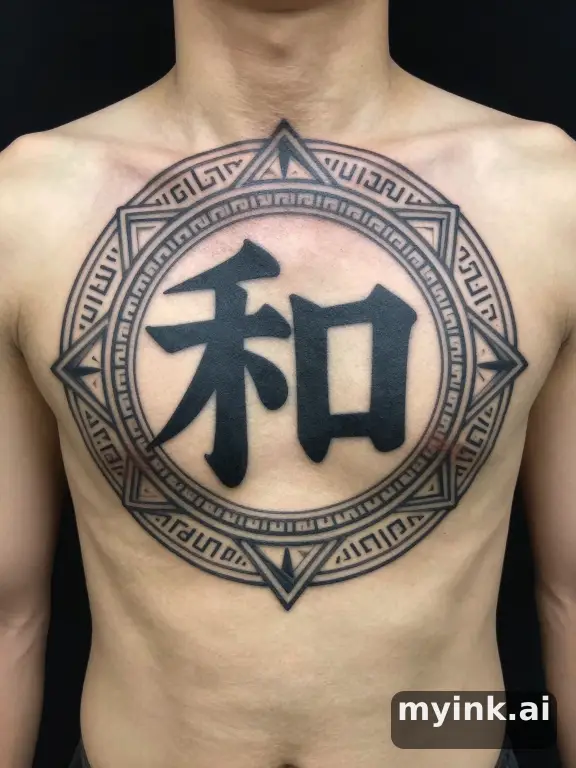 Sample
First tattoo / before you book
Appointment Pack
A finished example of the private page a buyer gets after choosing one preview direction.
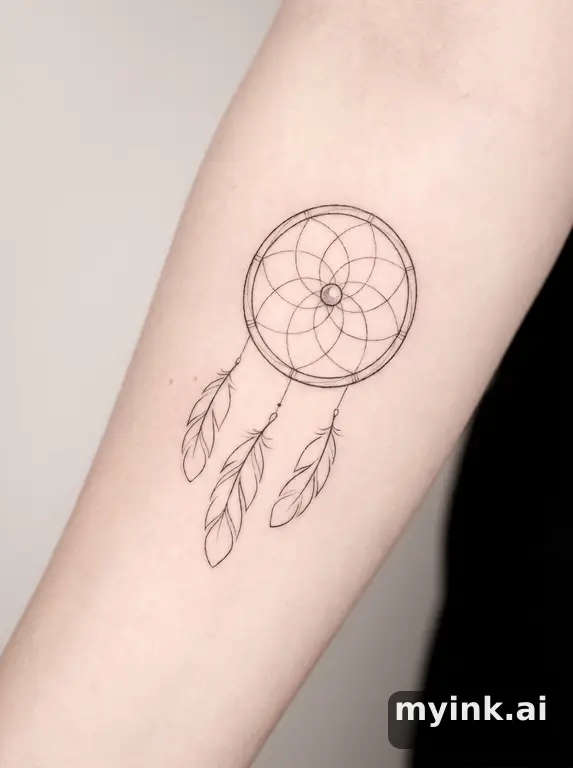 Sample
Memory / vow / relationship
Meaning Pack
A story-led example showing symbol routes, meaning notes, and what to avoid before image generation.
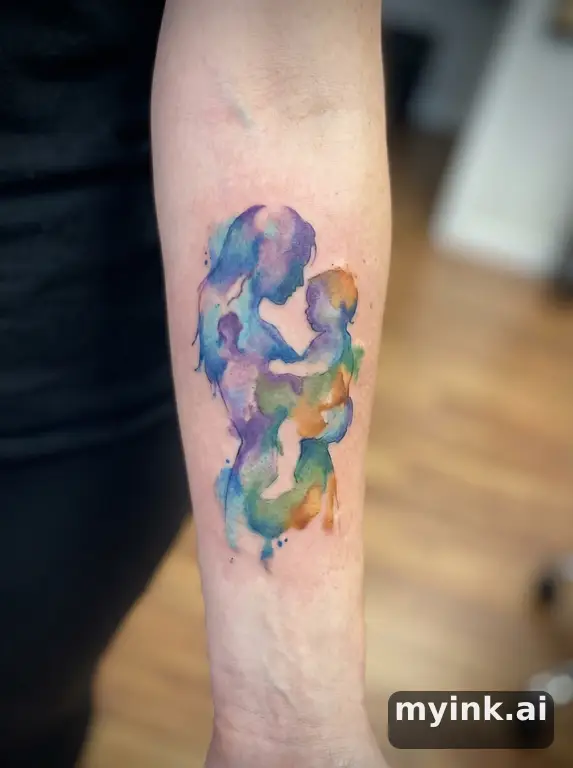 Sample
Cover-up / regret repair
Cover-up Pack
A private cover-up example showing how four directions are gathered into a usable appointment handoff.
Generator-First Workflow
The tool stays at the top so visitors can act immediately. Credits handle exploration; paid handoff comes later.
Style-Specific Exploration
Move from one prompt into 10 tattoo styles without leaving the page, then dive deeper into the dedicated style guides when you want nuance.
Built for Real Tattoo Decisions
This page connects generation to meaning, cover-up, try-on, and planning guides so the result is more useful than a random image output.
Prompts That Produce Better Tattoo Concepts
Strong prompts mention the motif, body placement, style, and mood. Use these as starting points, then refine based on what you want to show an artist.
geometric wolf tattoo for outer forearm with mountain linework and blackwork shading
minimalist cross tattoo for wrist with fine line detail and soft negative space
japanese dragon tattoo sleeve with waves, clouds, and bold red accents
rose and dagger tattoo for upper arm in neo-traditional style with strong outline
What an AI Tattoo Generator Should Actually Help You Decide
A good AI tattoo generator is not just there to make a pretty image. It should help you narrow the part that matters in a real tattoo decision: what the design says, what style fits it, and whether the design can survive the move from screen to skin.
1. Clarify the motif before you talk to an artist
Most people start too vague. They know they want a dragon, a cross, a memorial piece, or a sleeve, but they do not yet know whether the design should feel sacred, aggressive, delicate, modern, traditional, or minimal. The AI tattoo generator helps you move from a broad intention to a more specific visual brief. That makes the next conversation with a tattoo artist faster and more grounded.
2. Compare style direction without wasting your consultation
The same prompt behaves very differently in Japanese, blackwork, geometric, watercolor, or minimalist form. That difference is hard to imagine in your head if you are not already fluent in tattoo styles. This generator gives you a faster way to compare those directions before you book time, which means fewer random reference screenshots and a cleaner decision path.
3. Turn inspiration into something usable
Random tattoo inspiration is useful, but it is not the same thing as a usable brief. A tattoo artist still needs placement intent, sizing logic, style references, and enough visual consistency to understand what you mean. That is why the MyInk generator is connected to style guides, try-on, and planning guides instead of living as an isolated toy page.
Explore by Tattoo Style
If you already know the aesthetic you want, jump into the style guide first and come back here to generate with clearer direction.
This keeps the AI tattoo generator focused on execution instead of guesswork, which usually leads to stronger prompts and fewer unusable outputs.
Traditional
Bold outlines, vibrant colors, iconic American tattoo imagery
Minimalist
Fine lines, simple shapes, clean and elegant designs
Watercolor
Soft color splashes with a painterly artistic effect
Geometric
Sacred geometry, precise patterns, mathematical precision
Realistic
Photo-realistic detail with expert shading and depth
Japanese
Traditional irezumi with waves, dragons, Japanese art motifs
Tribal
Bold black ink with flowing patterns and cultural motifs
Dotwork
Intricate stipple shading built entirely from dots
Blackwork
Solid black ink with high contrast and bold visual impact
Neo-Traditional
Modern evolution of traditional with more detail and dimension
How to Bring AI Tattoo Generator Results into a Real Session
Bring a direction, not a demand
The best use of an AI tattoo generator is to bring a direction to your artist, not to force an exact copy. Show the theme, the balance of detail, the mood, and the placement logic. Let the artist translate that into a tattoo that works for your body and for long-term aging.
Use multiple outputs to explain your taste
One image can be misleading. Three to five outputs are usually more useful because they show the common thread across your taste. If every image keeps leaning toward soft blackwork, or keeps favoring a geometric frame, your artist can read that pattern quickly and build from it.
Check placement before you over-invest in detail
A design that looks strong on a blank canvas may collapse when it moves to the wrist, ribs, shoulder, or forearm. This is why the next step after generation should usually be try-on or placement testing. It is better to discover early that a design needs more negative space or bolder line weight than to discover it after the stencil is already on your skin.
In practice, that is what makes an AI tattoo generator useful instead of disposable. It helps you pressure-test the idea before permanence enters the picture. The more clearly this page pushes a user from concept to placement and planning, the more likely the result is to survive the jump from inspiration to tattoo appointment.
Turn a Design into a Tattoo Plan
Trusted Tattoo Planning Resources
American Academy of Dermatology: Tattoo Safety
Dermatologists recommend planning design, placement, and aftercare before a tattoo session instead of deciding everything in the chair.
Alliance of Professional Tattooists
Professional artists consistently advise clients to bring clear reference material, discuss size early, and confirm placement before the stencil goes on.
FDA: Tattoos and Permanent Makeup
Federal guidance reinforces that tattoo decisions carry real skin and safety consequences, which is why better pre-session planning matters.
AI Tattoo Generator FAQ
How is this different from a generic image generator?
What should I type to get better tattoo results?
Can I take these designs to my tattoo artist?
What should I do after I find a design I like?
Ready to Keep Refining?
Generate the concept here, then preview it on your body or browse collections to sharpen the final direction.
How to Use an AI Tattoo Preview Before You Book
MyInk is most useful when the output is treated as a planning reference, not a finished tattoo appointment file. Start with the idea you want to test, choose a style that has a real tattoo tradition behind it, then review whether the design can survive on skin at the size and placement you have in mind.
A strong tattoo preview should have one clear subject, readable contrast, and enough negative space for the design to age. Tiny lettering, hairline detail, crowded symbols, soft watercolor edges, and low-contrast color combinations can look beautiful on screen while becoming hard to read after healing and years of sun exposure.
Placement changes the design. A forearm can carry vertical compositions and readable symbols. Ribs and chest placements need more attention to pain, breathing movement, and body curvature. Fingers, hands, and wrists fade faster because the skin moves, washes, and rubs more often. The preview should help you see those tradeoffs before you pay a deposit.
Use the generator to create directions, then narrow to one or two realistic options. Save the prompt, style, placement, and reference image. That record gives your artist a clearer starting point than a folder of unrelated screenshots and helps prevent last-minute design confusion at the consultation.
An artist still needs to redraw, resize, and adapt the concept. Tattooing is not the same as printing an image on skin. Line weight, stencil clarity, needle grouping, skin tone, body movement, and healing all affect the final result. Treat any AI image as a brief for discussion, not a file to copy without judgment.
Be especially careful with memorial, cultural, religious, medical, or partner-name tattoo ideas. Those designs carry meaning beyond aesthetics, so the right workflow includes a pause: check the spelling, symbolism, cultural context, and long-term emotional fit before turning a preview into a permanent mark.
If a page only gives you a pretty image, it has not answered the important question. A useful tattoo planning page should explain who the idea suits, where it works, what might age poorly, what to ask an artist, and when a safer variation would be smarter.
Before booking, compare the design at phone size, full screen, and roughly the real size on your body. If the main shape disappears when small, simplify it. If the design relies on fragile detail, make it larger or choose a bolder style. If the meaning feels unclear, revise the concept before you involve an artist.
Best fit
Early tattoo ideation, style comparison, placement preview, cover-up exploration, memorial concept drafting, and preparing a clearer brief for an artist.
Poor fit
Copying another artist's work, replacing professional stencil preparation, guessing cultural meaning, or choosing a permanent tattoo from a single unreviewed image.
Before using
Check meaning, size, placement, contrast, aging risk, spelling, artist feasibility, and whether the design still feels right after a short waiting period.
Tattoo Planning Checklist
Decide the role of the tattoo first. A decorative piece can be judged by visual strength, fit, and longevity. A memorial or symbolic piece needs a second layer of review: spelling, dates, cultural meaning, emotional timing, and whether the symbol will still feel right when the current life moment has changed.
Check the design at real size. A beautiful full-screen image can fail when reduced to a three-inch wrist tattoo. If the subject, lettering, or secondary symbols become hard to read at actual size, the concept needs fewer details, heavier line weight, more open spacing, or a larger placement.
Compare the style with the body area. Traditional, blackwork, and neo-traditional designs usually tolerate aging better because they use stronger outlines and contrast. Fine-line, watercolor, and tiny geometric pieces can be excellent, but they need careful artist selection, realistic sizing, and acceptance that touch-ups may be part of ownership.
If you are planning a cover-up, be even more conservative. A cover-up has to solve the old tattoo's darkness, shape, and location before it can become a new design. The AI preview can help explore directions, but a cover-up artist must judge what is possible on the existing skin.
Use try-on previews to test placement honestly. Rotate, scale, and compare the idea on the intended body part. A design that looks balanced on a flat screen may distort around elbows, ribs, wrists, shoulders, knees, or fingers. The goal is not a perfect simulation; the goal is catching obvious placement mistakes early.
Before sending anything to an artist, write a short brief: subject, style, placement, approximate size, meaning, colors to use or avoid, and any symbols that must stay out. Add one or two generated references, not twenty. A tight brief gives the artist space to create original work while preserving your intent.
Avoid treating a generated image as proof that a tattoo is safe, culturally appropriate, or technically ready. Ask a professional about stencil clarity, line weight, skin tone, placement movement, and healing. The better the AI-assisted planning, the easier that expert conversation becomes.
If the design still feels right after a short waiting period, the next step is a real consultation. If it stops feeling right, that is a useful result too. The safest tattoo planning workflow helps you avoid weak ideas as much as it helps you find strong ones.
What Makes a Preview Useful
A useful preview answers a specific decision question. On an aging page, the question is whether contrast and line weight will survive. On a meaning page, the question is whether the symbol says the right thing without becoming too crowded. On a cover-up page, the question is whether the new design can realistically hide the old shape. On a pack page, the question is whether the concept is ready for an artist handoff.
The best pages therefore combine image exploration with judgment. They explain what the design is good for, where it may fail, what to ask an artist, and which details should be simplified before the tattoo becomes permanent. This is the difference between browsing tattoo images and actually preparing for a safer appointment.
If the output feels close, do not keep generating randomly. Change one variable at a time: style, placement, size, subject, color, or amount of detail. Comparing focused variations helps you see which part of the idea is strong and which part is creating risk.
A tattoo preview should also make refusal easier. If the design looks wrong on the body, feels too tied to a temporary emotion, depends on detail that will not age, or needs a placement you are not comfortable wearing, stop there. Avoiding the wrong tattoo is a successful planning outcome.
Pack and sample pages should be judged by handoff quality. A useful pack explains the concept, shows the intended style, gives the artist enough context, and leaves room for the artist to redraw instead of forcing a copied AI image. If the handoff would confuse a professional, the design is not ready yet.
Guide pages should help with the questions that sit around the image: what to prepare before a first tattoo, how to think about aftercare, when numbing cream needs artist approval, and how to avoid using pain or urgency as the only decision filter.
Sample pack pages should be especially concrete. They need to show what the buyer receives, how the files support an appointment, what still needs artist review, and when a user should keep refining before purchasing a handoff pack.
When a page helps someone ask a better question before the needle touches skin, it has done real work for both searchers and future clients.
That is why the planning pages emphasize clear briefs, readable designs, realistic sizing, and artist review instead of treating image generation as the final step.
If a sample cannot explain that handoff clearly, it should be revised before purchase.
Clear handoffs reduce appointment friction.
They also reduce revision waste later.